
Stand location · Zone 1
Interactive floor plan. Click on an exhibitor or a point on the map to see its location, its stand and find it quickly within the venue.
Select an exhibitor
You can locate an exhibitor from the plan or from the drop-down menu at the bottom. When you select one, you will see their information and assigned stand here.
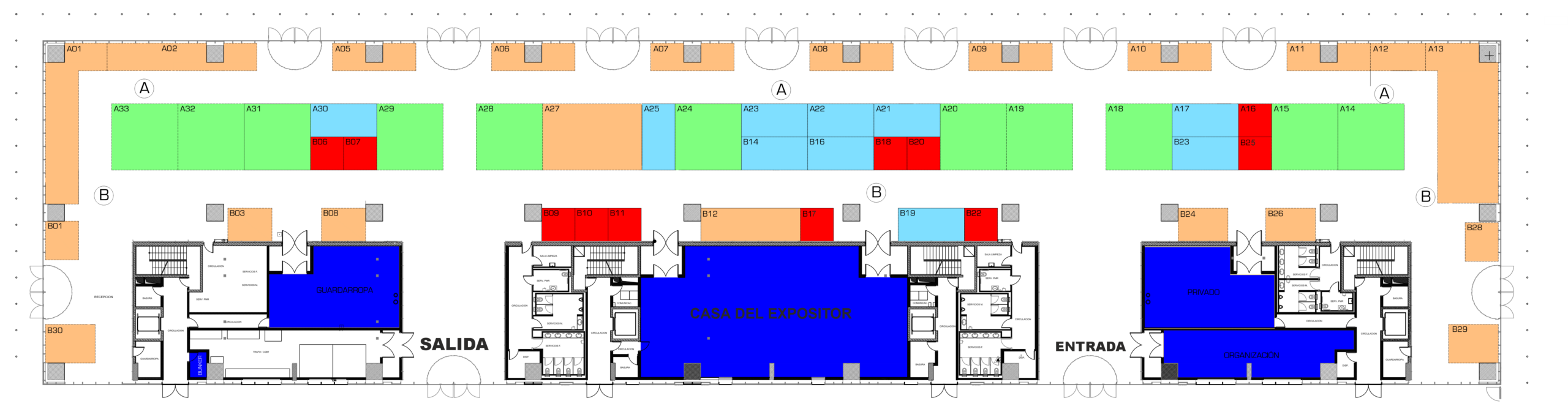
• The plan includes exhibitors with confirmed participation, as well as others in the process of confirmation.
Exhibitors
Search for an exhibitor and click on their profile to see their location and highlight their stand on the map.
Stand location · Zone 2
Interactive floor plan. Click on an exhibitor or a point on the map to see its location, its stand and find it quickly within the venue.
Select an exhibitor
You can locate an exhibitor from the plan or from the drop-down menu at the bottom. When you select one, you will see their information and assigned stand here.
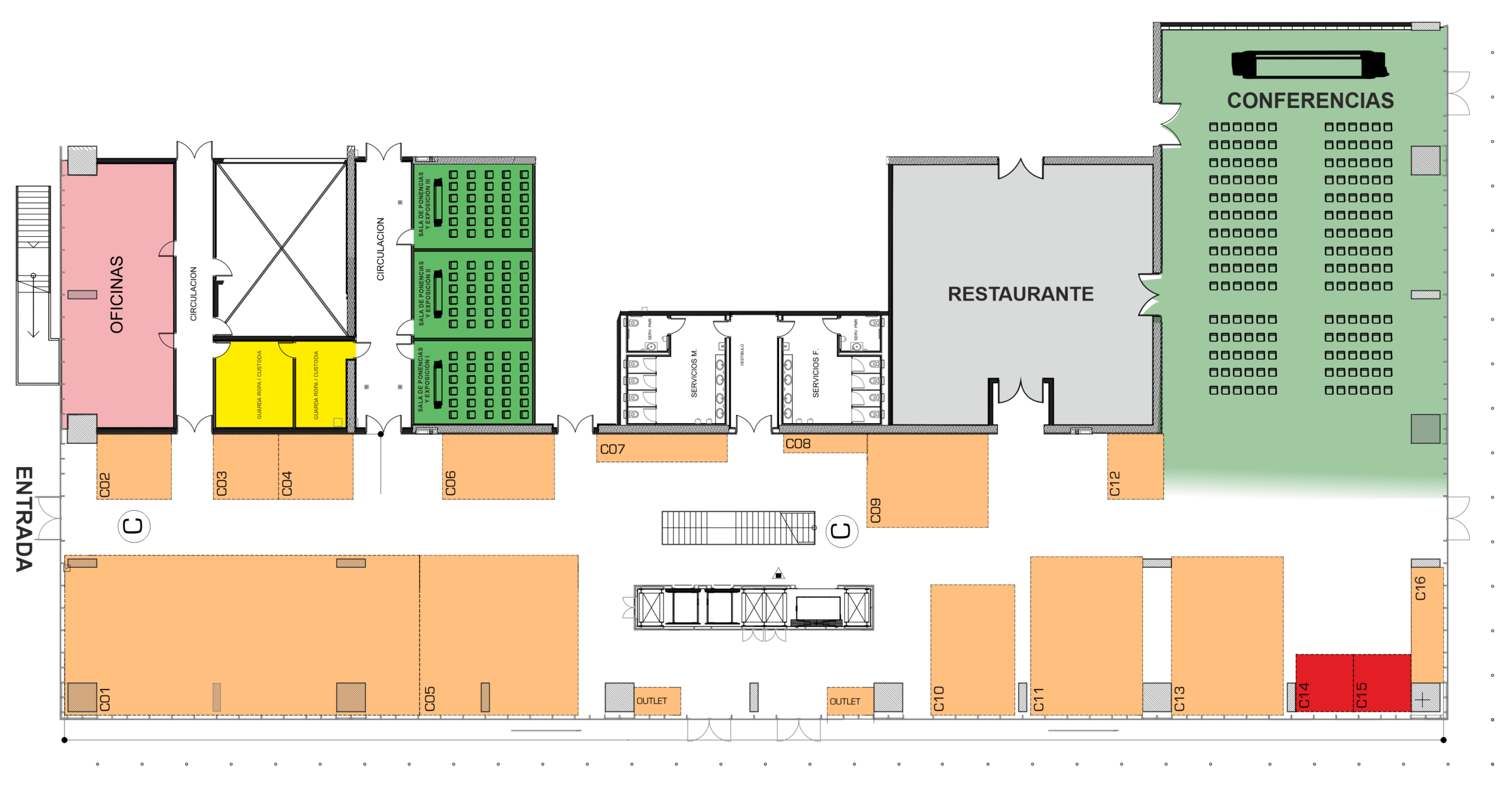
• The plan shows the exhibitors located in this area to make it easier to find them within the venue.
Exhibitors
Search for an exhibitor and click on their profile to see their location and highlight their stand on the map.